ScrapeRouter is a one webscraping API for many providers.
You send one request. ScrapeRouter runs it with the scraper and proxy route that fits the target, and returns one normalized response. That is the core idea.
It exists because most teams do not really have a “scraping” problem. They have a routing problem, a maintenance problem, and eventually a cost problem.
At the beginning, scraping looks simple. You make a request. It works. Then you hit a different site and it needs JavaScript rendering. Another one starts blocking datacenter IPs. Another one works only with a different proxy setup. Another one worked last week and now it does not. At that point, the problem is no longer “how do I fetch this page once.” The problem is how to keep scraping working without filling your app with provider logic, proxy logic, rendering logic, retries, and custom fixes.
That is why ScrapeRouter was built.
Why we built it
Without something in the middle, teams usually end up doing one of two things.
The first option is to build custom logic themselves. They use one library for simple pages. Another tool for browser rendering. Another setup for proxies. Then they start adding conditions in code. If this request fails, try a browser. If the browser fails, change the proxy. If the target starts rate limiting, slow it down. If the page changes, go back and patch the scraper again.
The second option is to pick one advanced method and use it everywhere. That can make the code simpler. But it usually means using the expensive setup for requests that never needed it in the first place. Rendering a browser for simple pages. Using premium proxies for targets that would work fine without them. It works, but the cost grows fast when you run this at production volume.
Neither option is great.
ScrapeRouter is meant to take that routing logic out of your application and put it behind one API.
What problem it solves
The main problem is not getting one scrape to work. The main problem is keeping a scraping workflow working in production when target URLs behave differently, change over time, and need different methods.
Some websites need no browser at all. Some need JavaScript rendering because the content is not there until the page runs client-side code. Some use that as part of their protection layer, so a basic request is not enough even if the page looks public in a browser. Some are fine with datacenter IPs. Some are not. Some need residential or mobile proxies. Sometimes the issue is not the proxy. Sometimes it is the request headers or fingerprints. Sometimes it is the rate limit. Sometimes it is all of it together.
Most teams do not test all of those combinations properly. They try a few options manually and keep the first one that works. That is usually good enough to move on. It is rarely the route they would choose if they were optimizing for long-term cost, speed, and stability.
That is the gap ScrapeRouter is trying to close.
How it works
ScrapeRouter gives you one request schema and one response schema. You can use it in two ways.
The first is auto mode. In that case, ScrapeRouter starts with simpler routes and moves to more advanced ones when needed. The goal is to find a workable method for that target without you wiring all of that logic yourself.
The second is explicit mode. If you already know what route you want, you can choose the scraper and proxy setup directly and run the request that way.
In both cases, the important part is the same: your application does not need to change its downstream processing every time the route changes. The response format stays consistent. You can switch from a simple request to a browser-based route, or change proxy type, without rebuilding the rest of your pipeline around a new provider response format. That is the practical value.
Why that matters
There is a big difference between “this worked once” and “this keeps working in production.”
A one-off scrape can be slow, messy, and slightly expensive and still be fine. Production scraping is different. Volume changes the cost. Repetition changes the failure modes. Websites change. A site can add stronger blocking next week and break a method that looked fine before. A scraper that works from a local machine can fail on a server. A route that works for ten requests can fail at a hundred.
When that happens, the real cost is not just the request cost. It is engineering time. It is debugging. It is going back into code that should not be central to your product in the first place. It is dealing with downstream processes that now fail because your scraping layer stopped being stable.
ScrapeRouter is built for that layer. Not for the one-time script. For the part that starts hurting when scraping becomes part of an actual system.
Who it is for
ScrapeRouter is for developers and technical teams who already know that scraping gets more complicated in production than it looks at first.
It is a good fit for people who have already written scrapers, dealt with proxies, tried browser automation, integrated a provider API, or had to maintain scraping jobs over time. Usually they have already felt the pain. They know the problem is not only getting data out of a page. The problem is keeping the whole setup maintainable.
It is also a good fit for technical founders who do not want to spend engineering time building and maintaining routing logic for something that is not their core product.
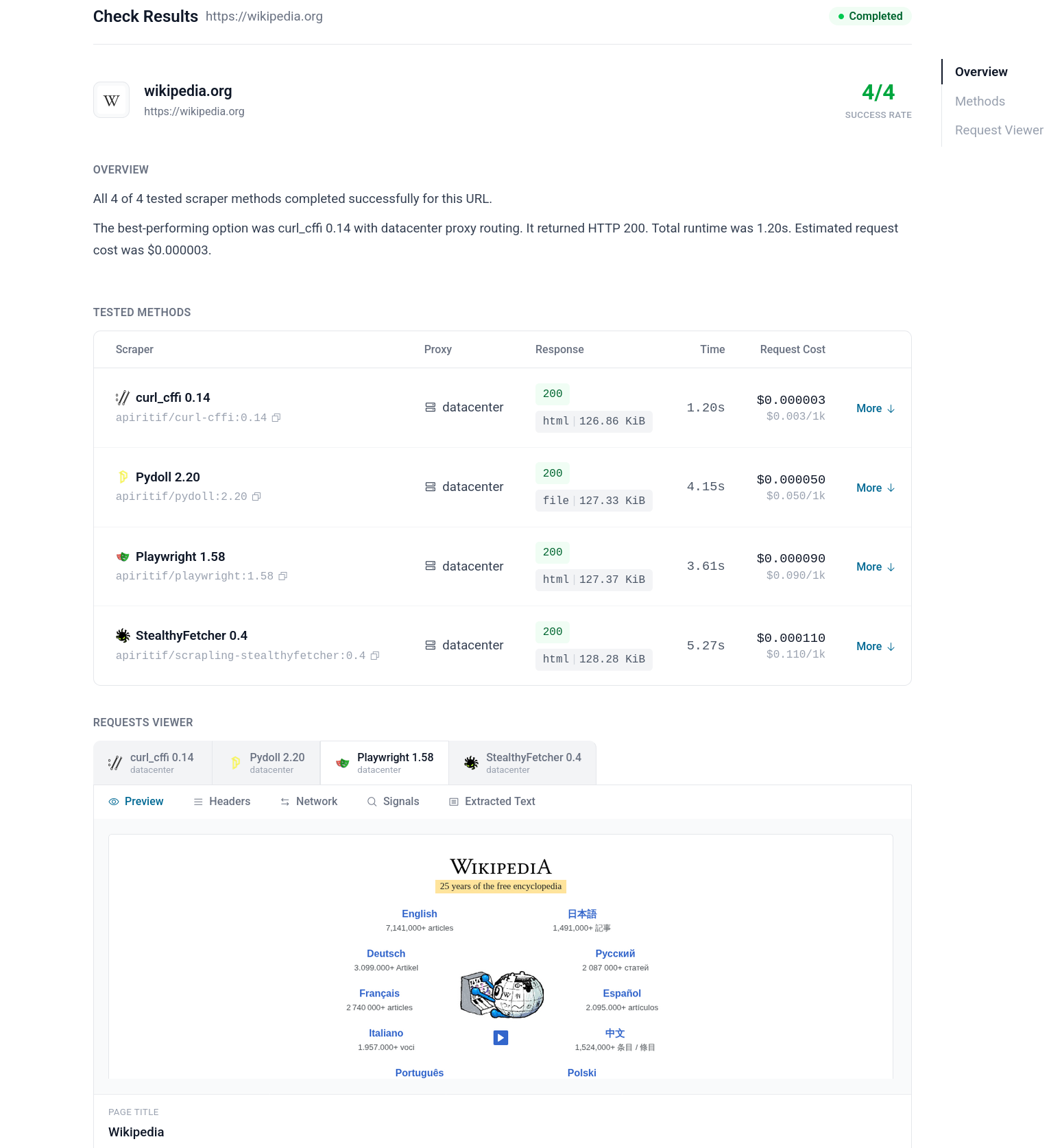
Start with a free URL check report
The best entry point into ScrapeRouter is /check/.
Before integrating an API, most people want a simpler answer first: can this target be scraped, what route looks workable, and what should I try next?
That is what URL check report is for.
It gives you a practical starting point before deeper integration work. Then, if the target looks viable, you can move from that check into production requests through the API.
That is really the product story in one line:
Check the target first. Then run it through one API. Keep one integration even when the route underneath changes.